Connect Your Profile
Connect your Public RSI Profile and MetaMask wallet.
StarCred works with any Ethereum-capable browser (such as Brave) or by using a wallet plugin such as MetaMask. Please use a NEW wallet and address on your browser before proceeding. StarCred is not available for mobile at this time but does work out of the box with any ethereum compaible mobile browser with wallet built in such as Brave Browser (tested and working). Use only one ethereum address per RSI account. To connect multiple Star Citizen accounts please create new accounts within your wallet and connect those.
To login, first install a wallet like MetaMask.
Please log in to your wallet account first!
Sign the message with your wallet to authenticate.
Natively Supported Browser
You don't need any plugin.

Metamask Supported Browsers
You need a ethereum compatible plugin such as MetaMask.
Firefox ChromeMetamask Plugin
MetaMask PluginConnect your RSI Profile
Successful authentication for address:
Step 1: Verify RSI Profile
Place this code in your RSI profile's "Short Bio", then save the changes. You can remove it after verification.
Your Code:
How to add the code to your bio:
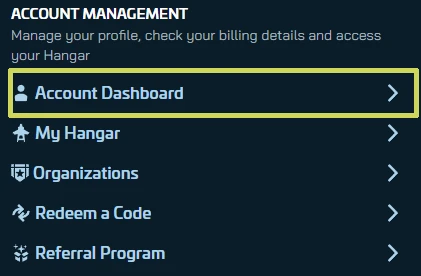
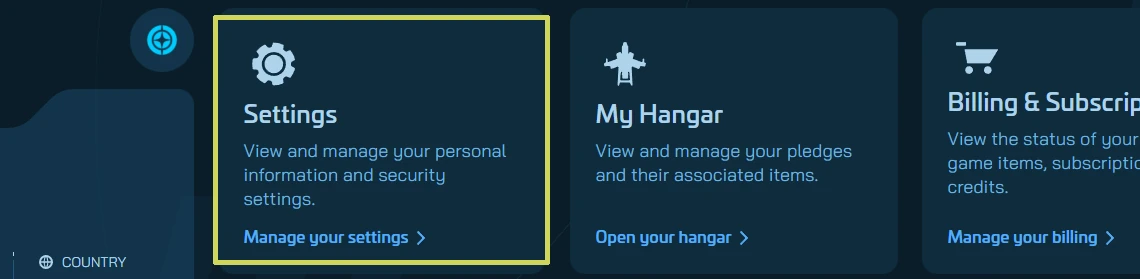
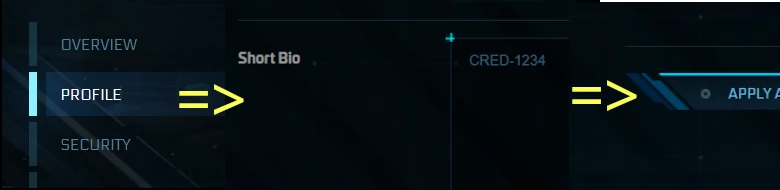
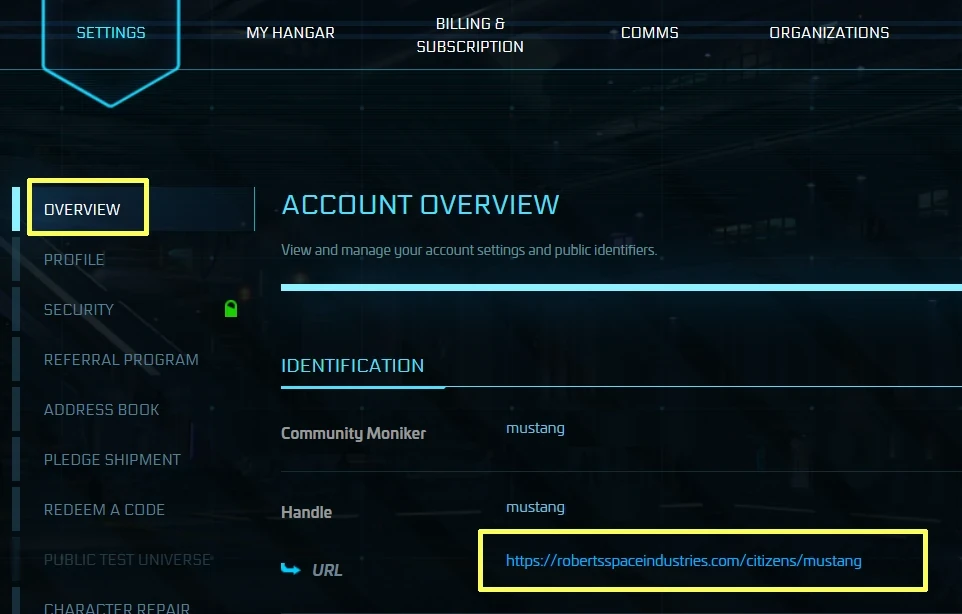
Enter Your Public RSI Profile Link
Make sure you have pasted the random code into your bio and saved. Enter your public RSI Profile link.
Where to find your public profile URL:
Step 2: Enter Referral Code
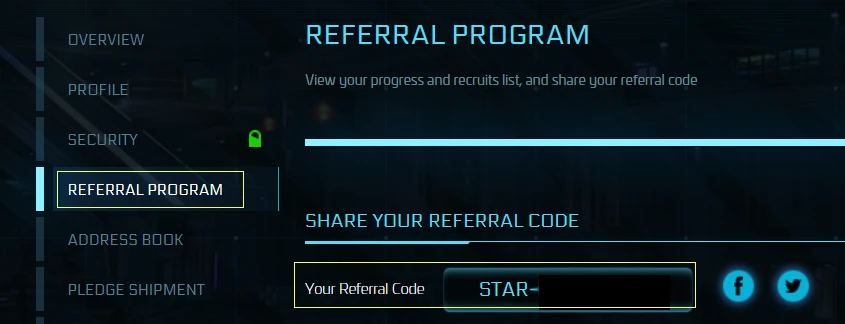
Enter your referral code from your RSI settings page.